Work/
Best Buy

Loyalty worth playing for

Gamification for the Best Buy app that pays out in real rewards.

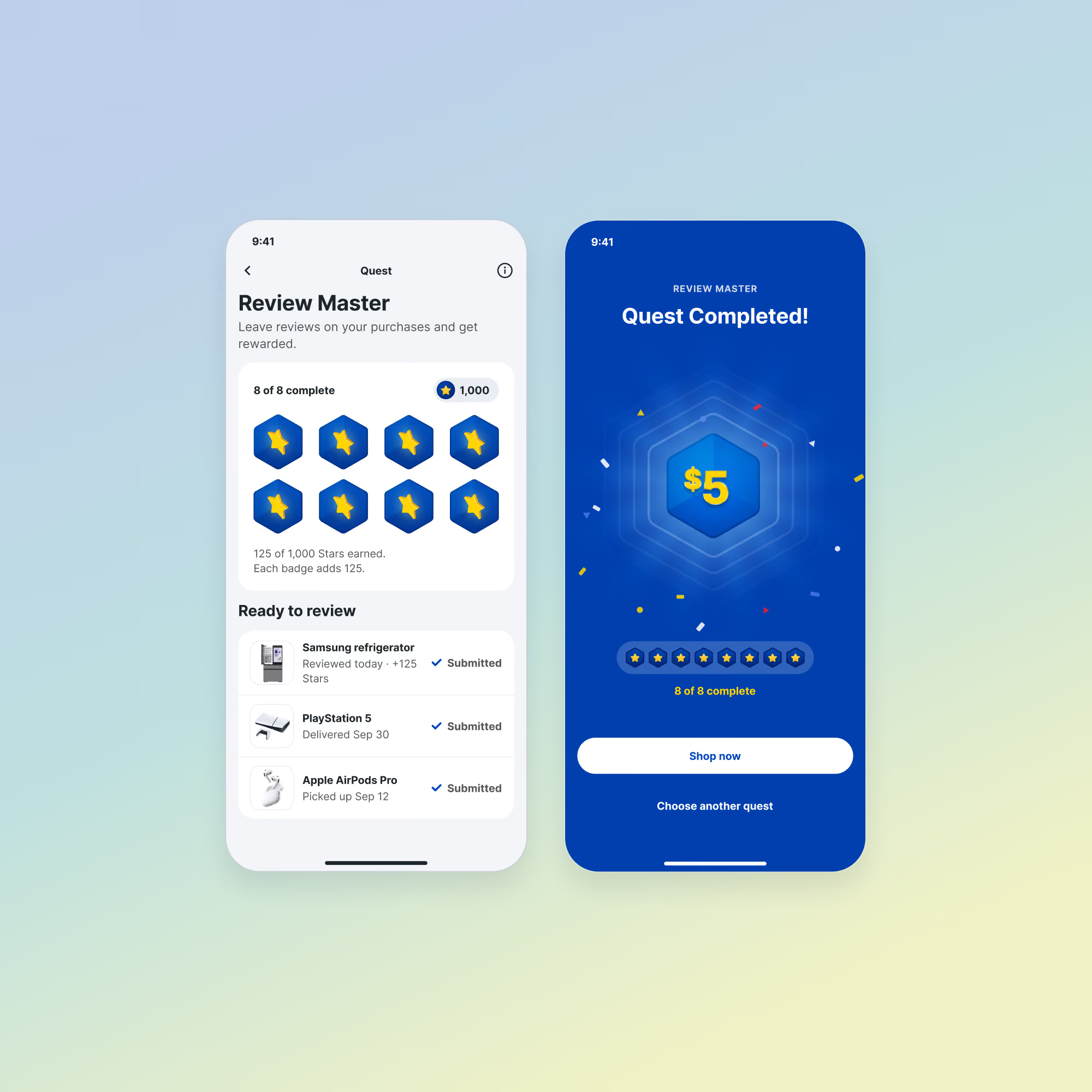
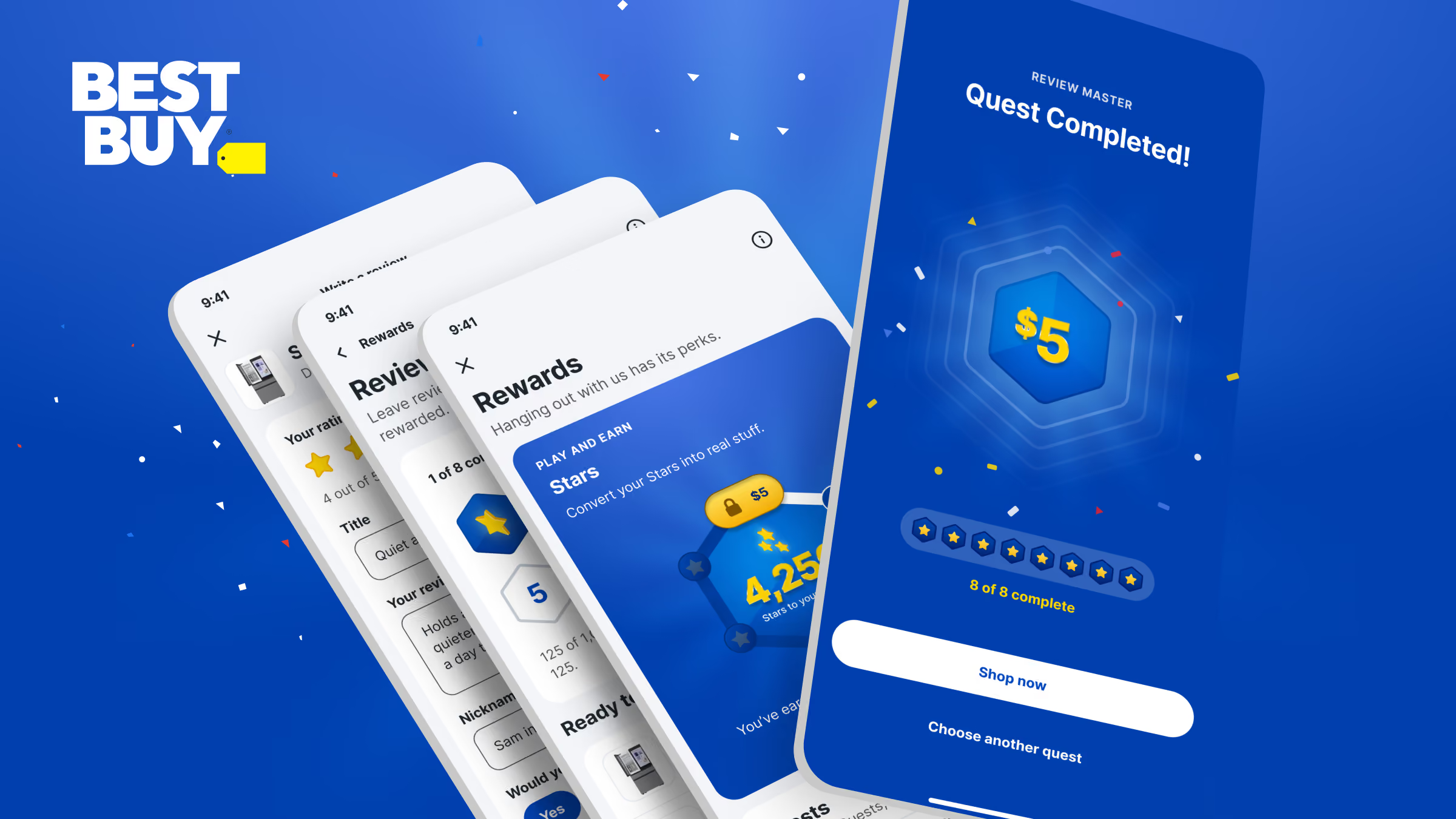
Best Buy app screens with a completed Review Master quest paying out in Stars, beside the Stars rewards screen
Client
Best Buy
Role
Supplemental design partner
Timeframe
Sept. 2023 - Sept. 2025
Stage
Concept
Platforms
Mobile app
Focus
Gamified loyalty framework

Best Buy wanted new reasons for customers to open the app between purchases. We treated gamification as a way to get customers to act.

The challenge

Every team also had something to ask of them, from a product review to a notification opt-in, and nothing to give back.

The idea

Each business ask becomes a quest that pays in Stars redeemable for gift certificates.

The outcome

Customers ranked real rewards first and status last. The quests pay in rewards. The framework gives Best Buy a quest structure any team can build on.
The outcome
The approach

Each stage started from the one before it.

Discover

We started by asking Best Buy customers what would bring them back to the app between purchases.

Design

We thought about tracking, rewards and the game as one system, built on asks the business already had.

Test

We had our favorites, but customers’ answers had the final say on what made it in.

Deliver

Best Buy has a framework any team can build on, shaped by what customers said they wanted.

The idea

Every business ask becomes a quest.

Each quest pays in Stars, and Stars cash out as gift certificates. Badges count as fractions of a certificate, so every step earns something.

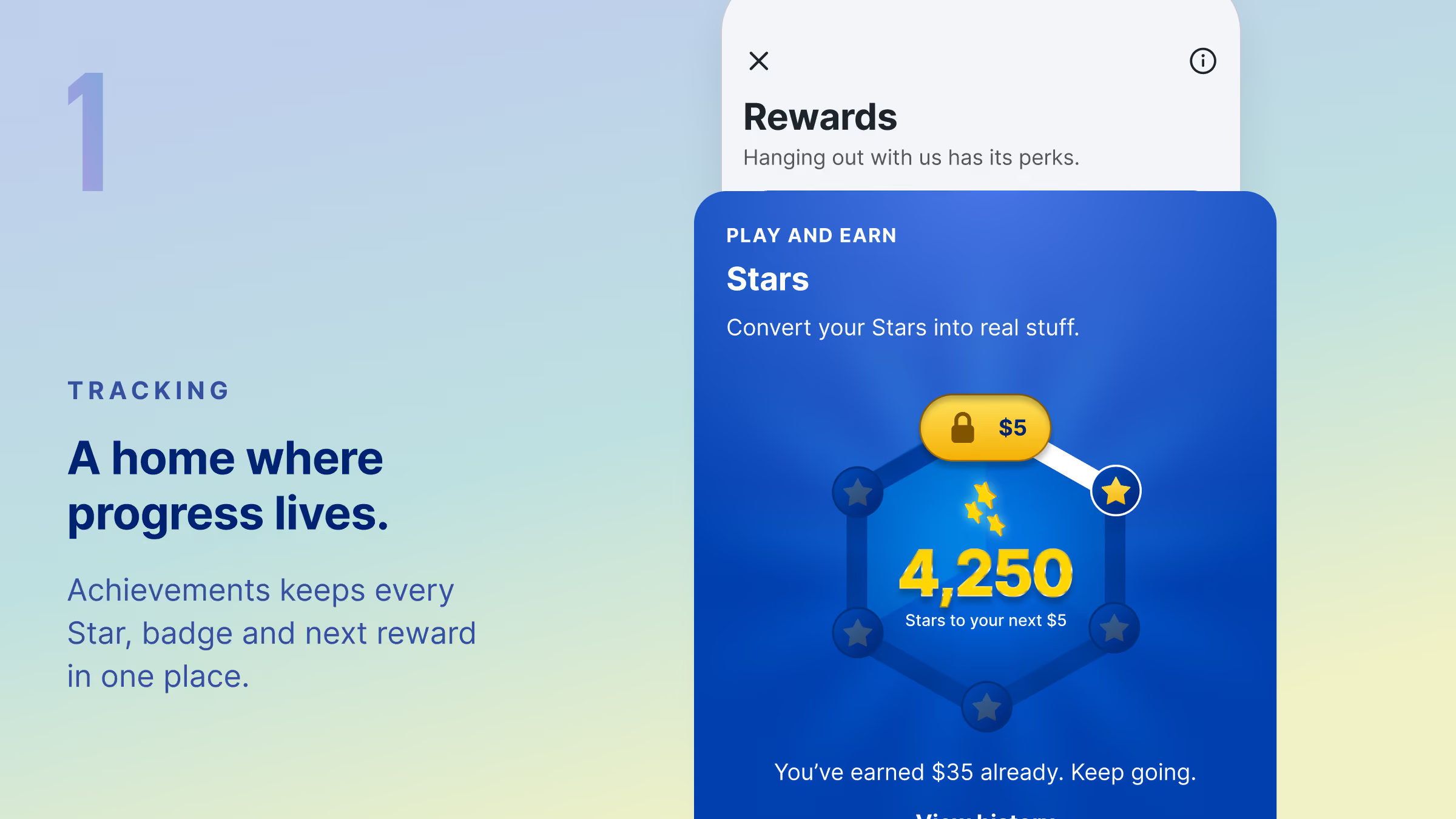
Tracking: our concept for a Rewards home in the Best Buy app, showing a Star balance and the next reward
Rewards: our concept for badges that add up to Stars, and Stars that cash out as a gift certificate
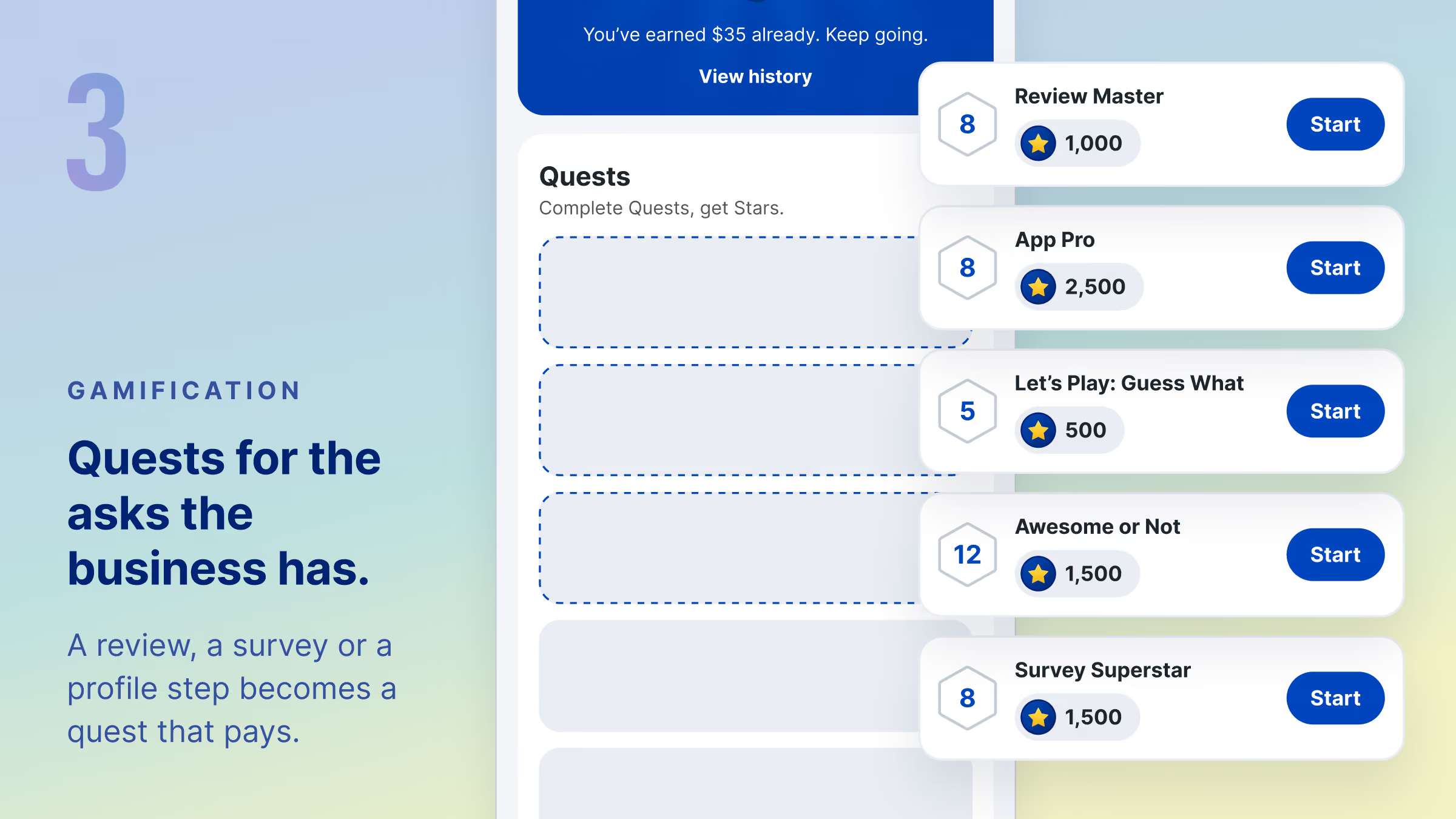
Gamification: our concept for a list of quests in the Best Buy app, each with a Star value and a Start button
Scalability

Framework design

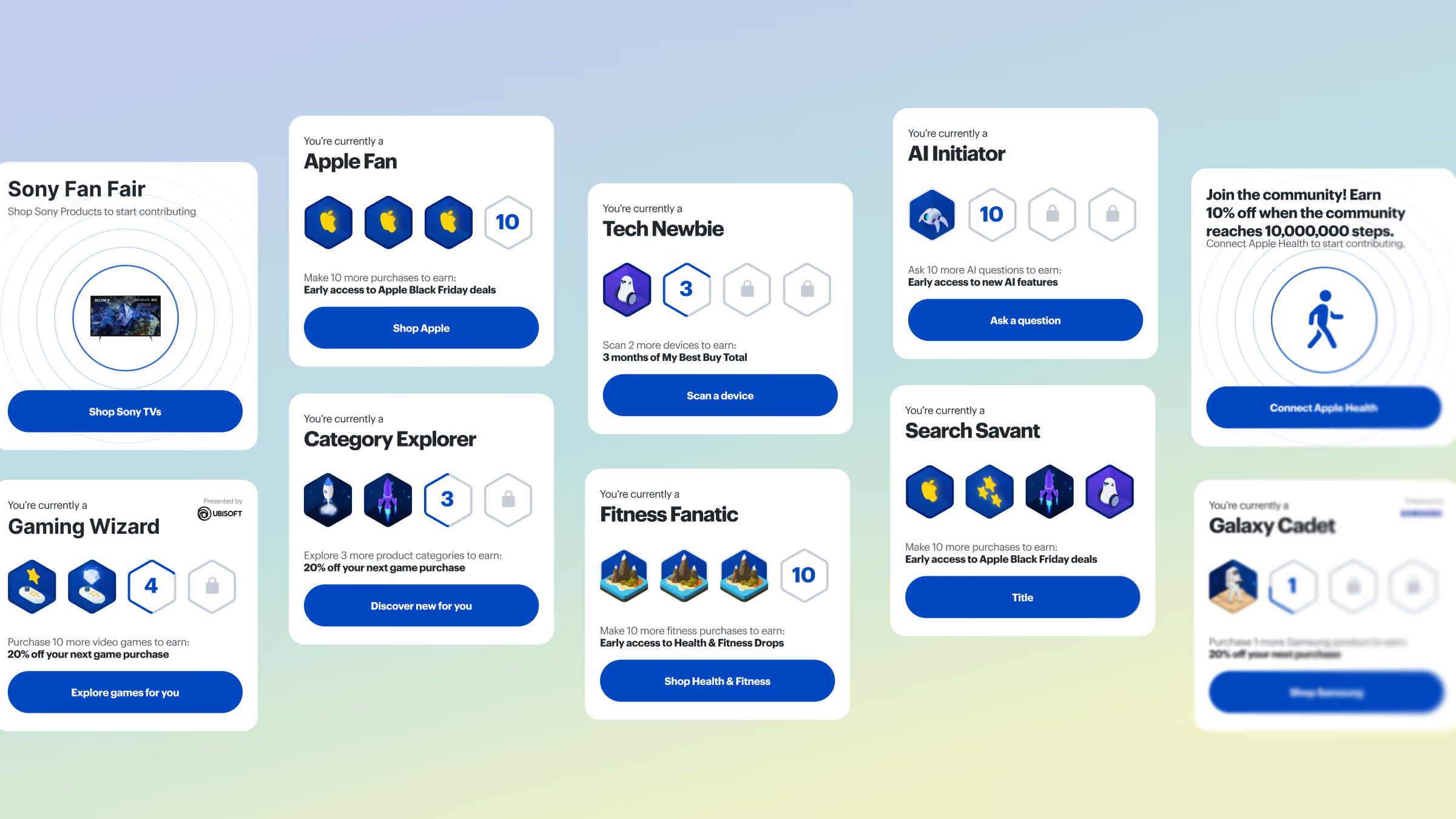
A game keeps working when new quests keep coming. We designed the framework around one template, so any team at Best Buy could add the next quest.

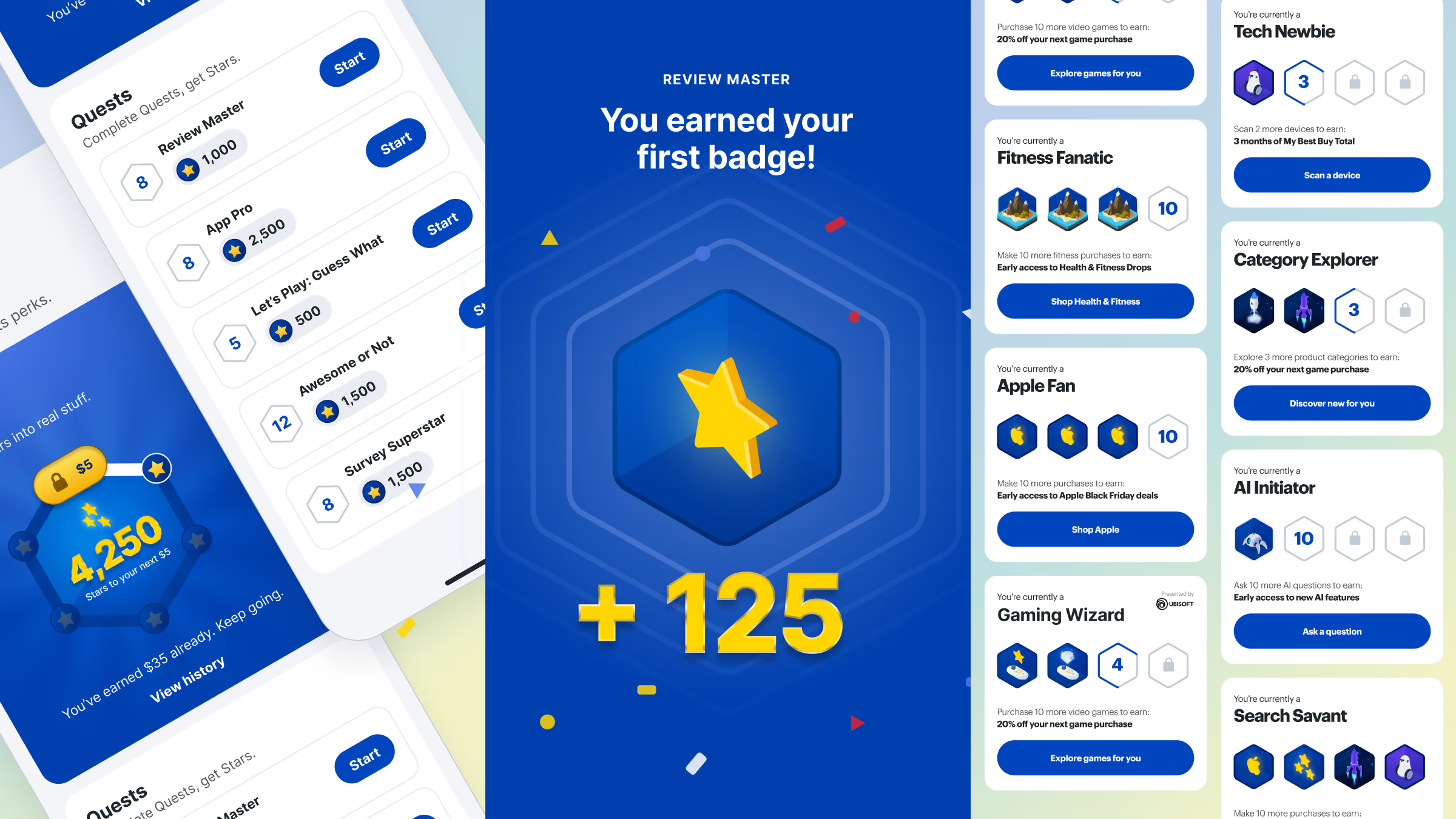
Our concept for the quest framework, showing the quest list, a first badge earned and a set of quest cards
Our concept for Best Buy quest cards, including Apple Fan, Tech Newbie, Fitness Fanatic and Gaming Wizard, each showing badges earned and a reward
The concept

Experience design

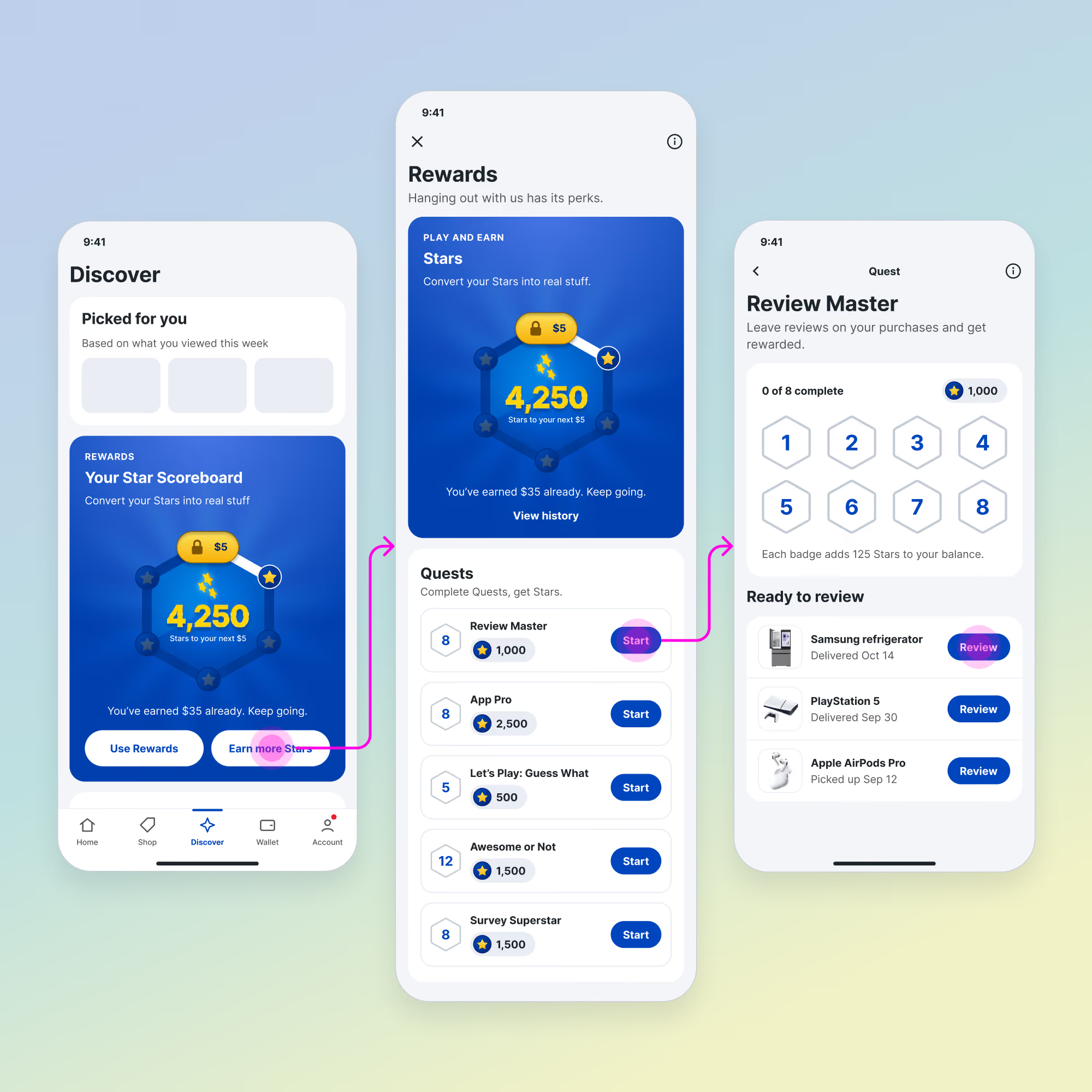
People keep playing when every step pays. We designed the first quest, Review Master, to turn a product review into progress toward a gift certificate.

Our concept for finding a quest: the Star scoreboard on Discover, the Rewards screen with its quest list, and the Review Master quest

sequence 1

Find a quest

Quests would sit beside the Star balance, so the next reward is always in view.

sequence 2

Leave a review

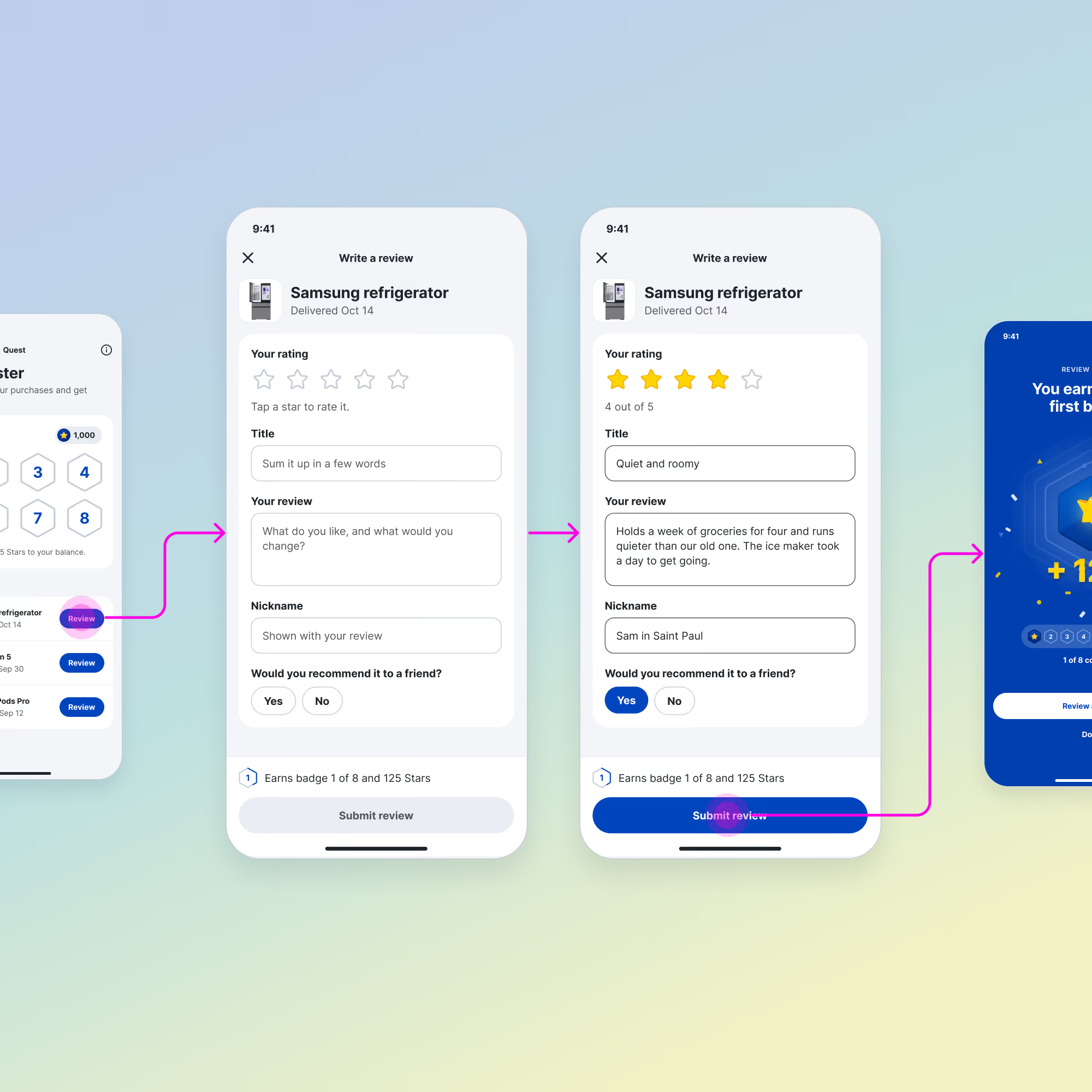
The quest would be the review Best Buy already wanted, with nothing new for customers to learn.

Our concept for writing a product review inside the Review Master quest, from the empty form to a finished review
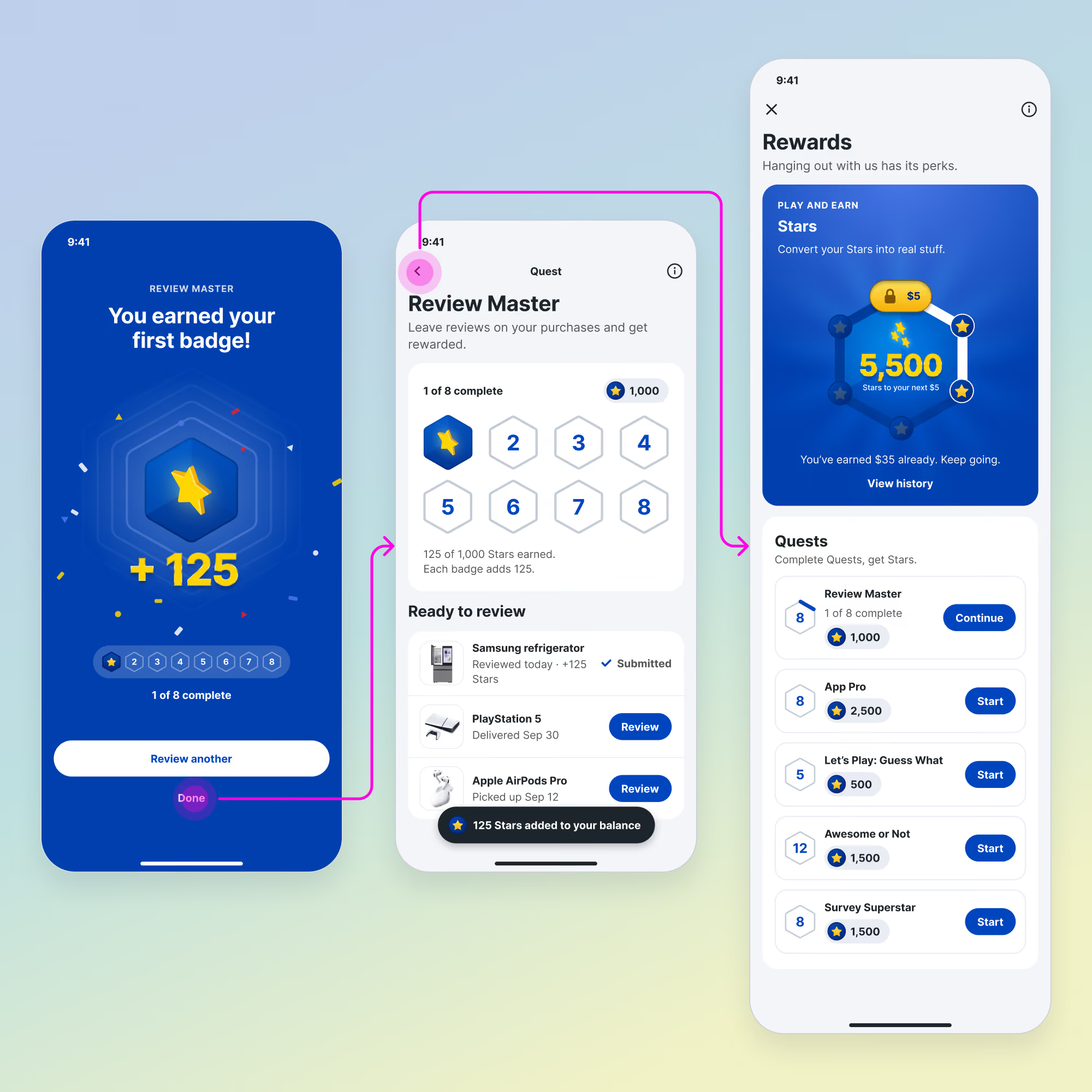
Our concept for the first badge earned in Review Master, with 125 Stars added to the balance

sequence 3

Earn a badge

Every review would earn a badge and Stars right away, so progress shows up after the first step.

sequence 4

Cash out

A finished quest would pay out as a gift certificate customers can spend at Best Buy.

Our concept for a completed Review Master quest, with eight of eight badges earned and a five dollar reward
By the numbers

Interesting stats

Best Buy customers answered first, and the concept followed.

Desirability

81%

Best Buy customers surveyed wanted a game in their rewards program.

Leaderboards in the design

0

Best Buy customers ranked competing last among their motivations.

Customers surveyed

424

Their answers set the rules of the game before the pitch.

Average score, things to own

3.7

Customers ranked stuff they keep first, so every quest would earn toward a gift certificate.

Quests

5

One shared template would let any team add the next one.

Next case

Best Buy

Best Buy’s app growth program added eight million people over two years.

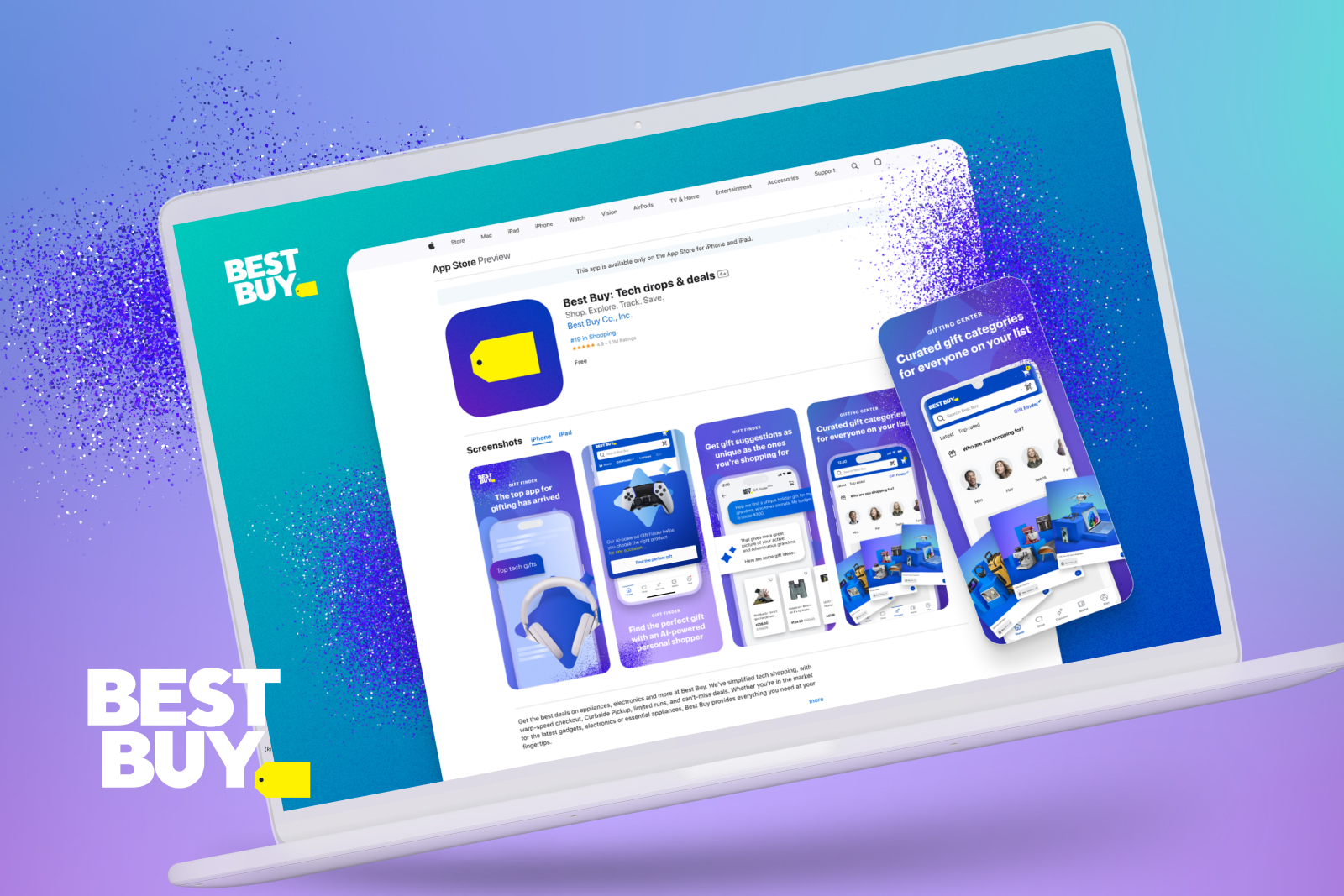
Best Buy’s app store listing on a laptop screen, showing the app’s screenshots