Work/
Lilly

Chat platform for millions

Designing LillyDirect’s chat on both sides of the hand-off.

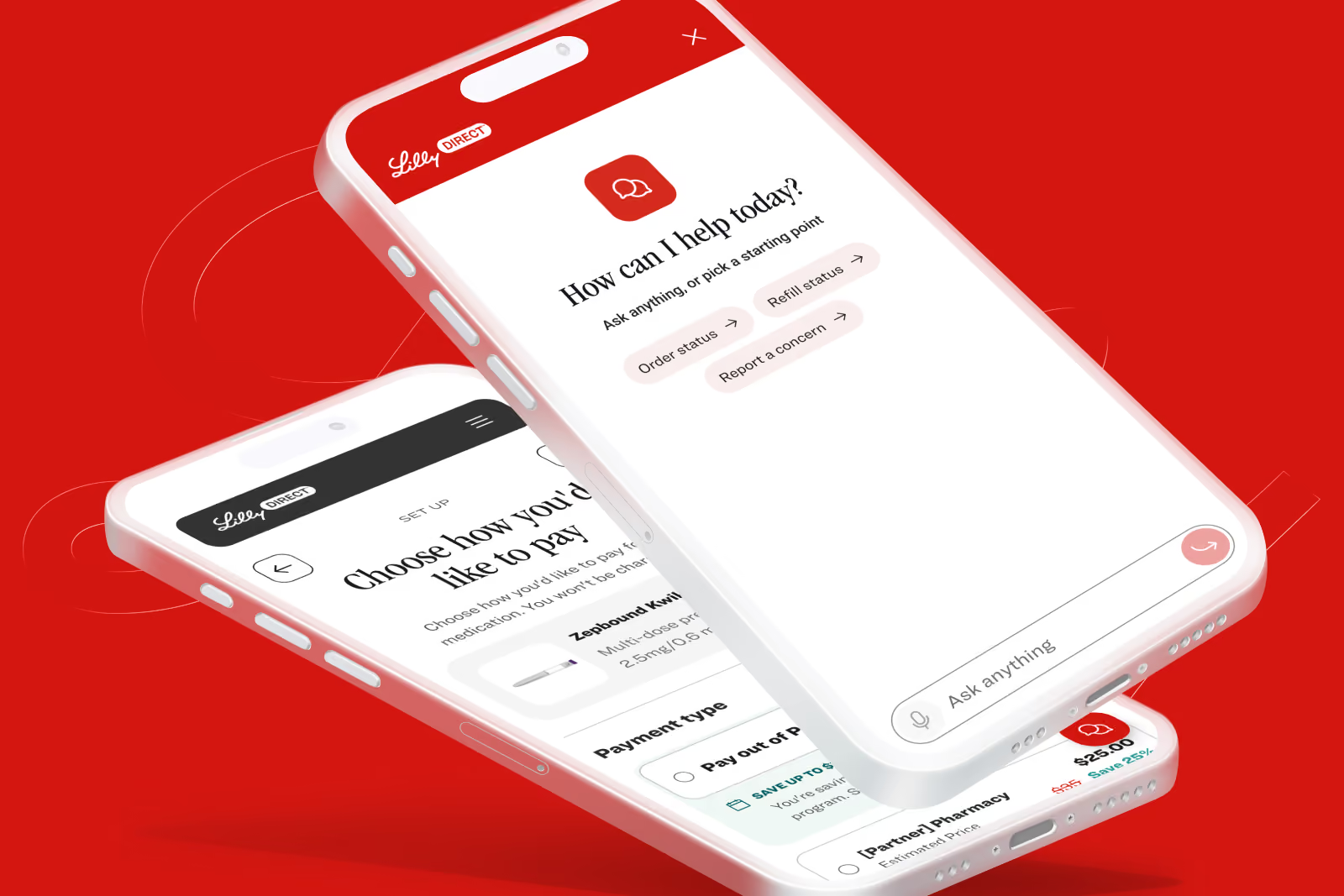
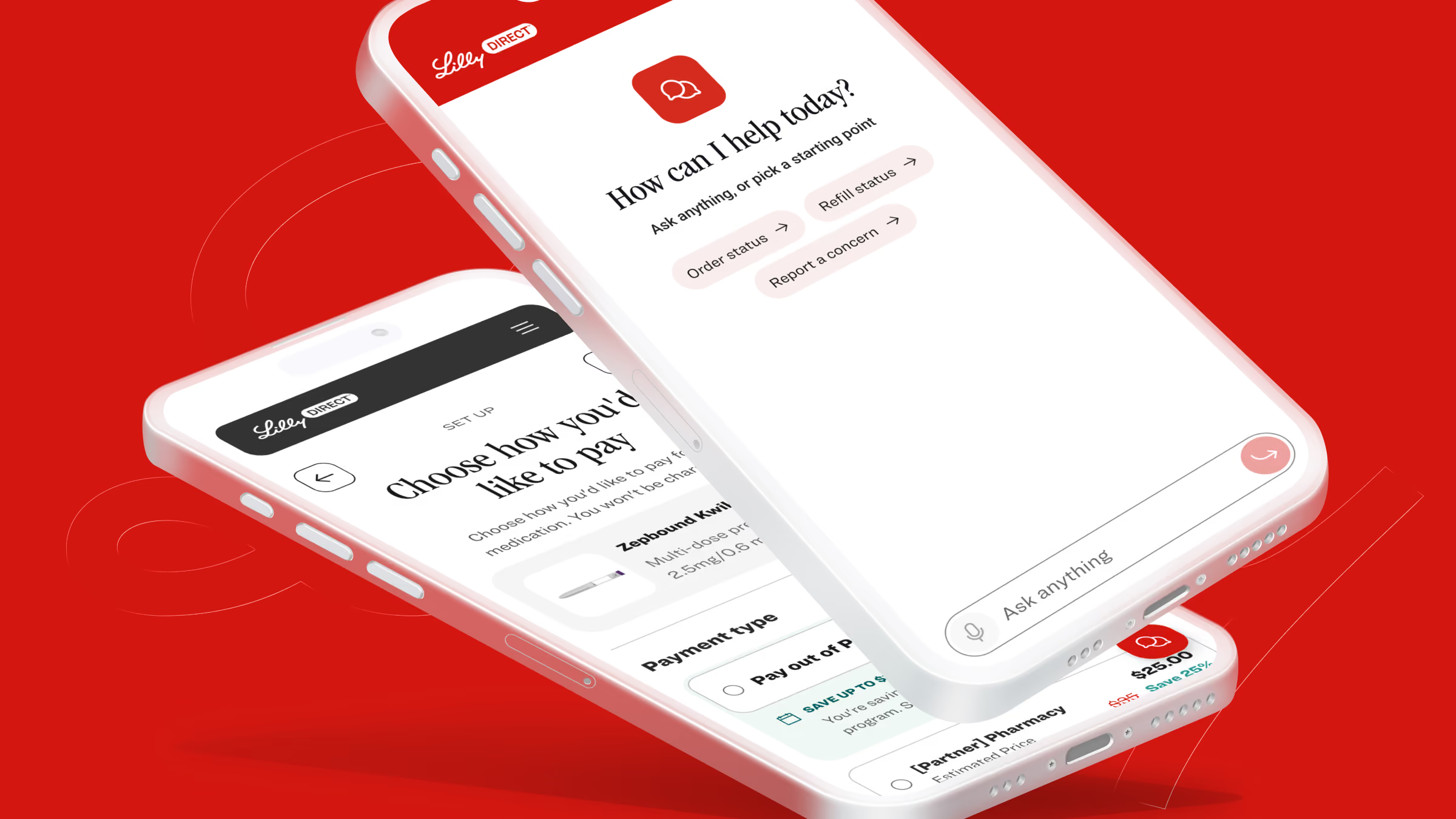
Two phones showing LillyDirect chat, with its opening help prompt and shortcuts for order status and refills
Client
Lilly
Role
Supplemental design partner
Timeframe
Oct. 2025 - Aug. 2026
Stage
Pre-launch
Platforms
Mobile app, web and conversational
Focus
Chat experience

LillyDirect is how patients get Lilly medicines straight from Lilly. When they have a question, they want an answer without explaining themselves twice. We designed a chat that would hand the whole conversation to a person the moment one is needed.

The challenge

Every anxious question answered by a person costs a call, and a chat that strands a patient costs more. Millions of patients, every medicine on different rules, trust that is regulated, and a human who has to pick up mid-sentence.

The idea

Map every way a patient asks to a known path, give the chat one voice, show its work, and when a human steps in, hand them the same agent and the same thread.

The outcome

We scoped the chat from demand data before designing anything. Refills carried five times the demand of the next topic.
The outcome
The approach

Refills came first.

Discover

We looked at what patients already ask LillyDirect for, and how often.

Design

We designed the patient’s chat and the agent’s side as one experience, so no one would have to start over.

Test

Our favorite direction went to Lilly with a plan to measure the chat, so patients would have the final say.

Deliver

Lilly can go to market with confidence, because each choice traces back to what patients ask for most.

The strategy

Start with what patients ask for most.

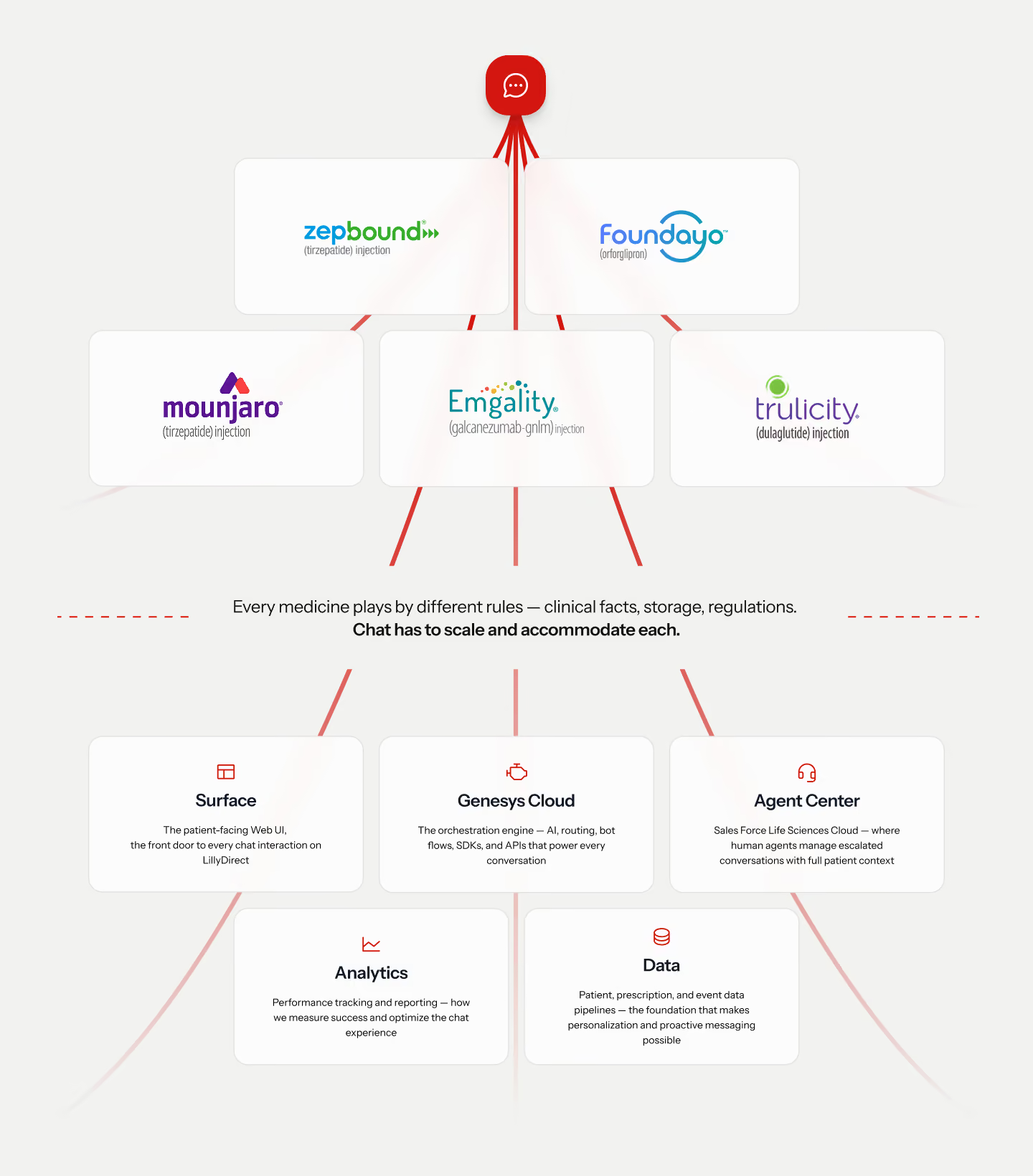
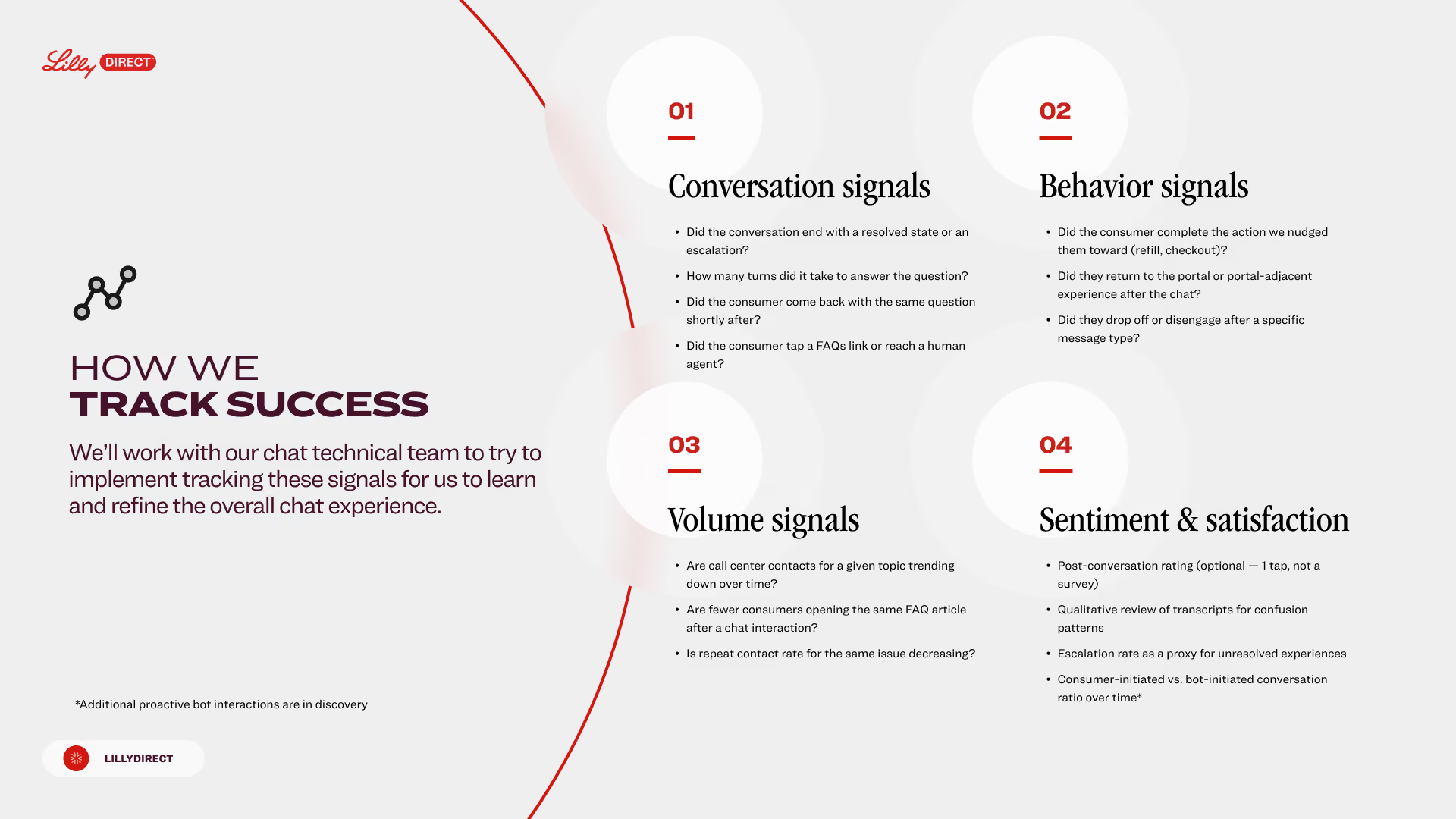
A chat for millions of patients can’t guess. We started from what patients already ask LillyDirect for, mapped every question to a known path, and set how success would be measured before launch.

Flowchart showing chat integration with various medicine injections like Zepbound, Foundryo, Mounjaro, Emgality, and Trulicity, linked to components: Surface (patient-facing UI), Genesys Cloud (AI and APIs), Agent Center (human agents with patient context), Analytics (performance tracking), and Data (patient and prescription data pipelines). The chat system scales and accommodates the clinical, storage, and regulatory requirements of each medicine.
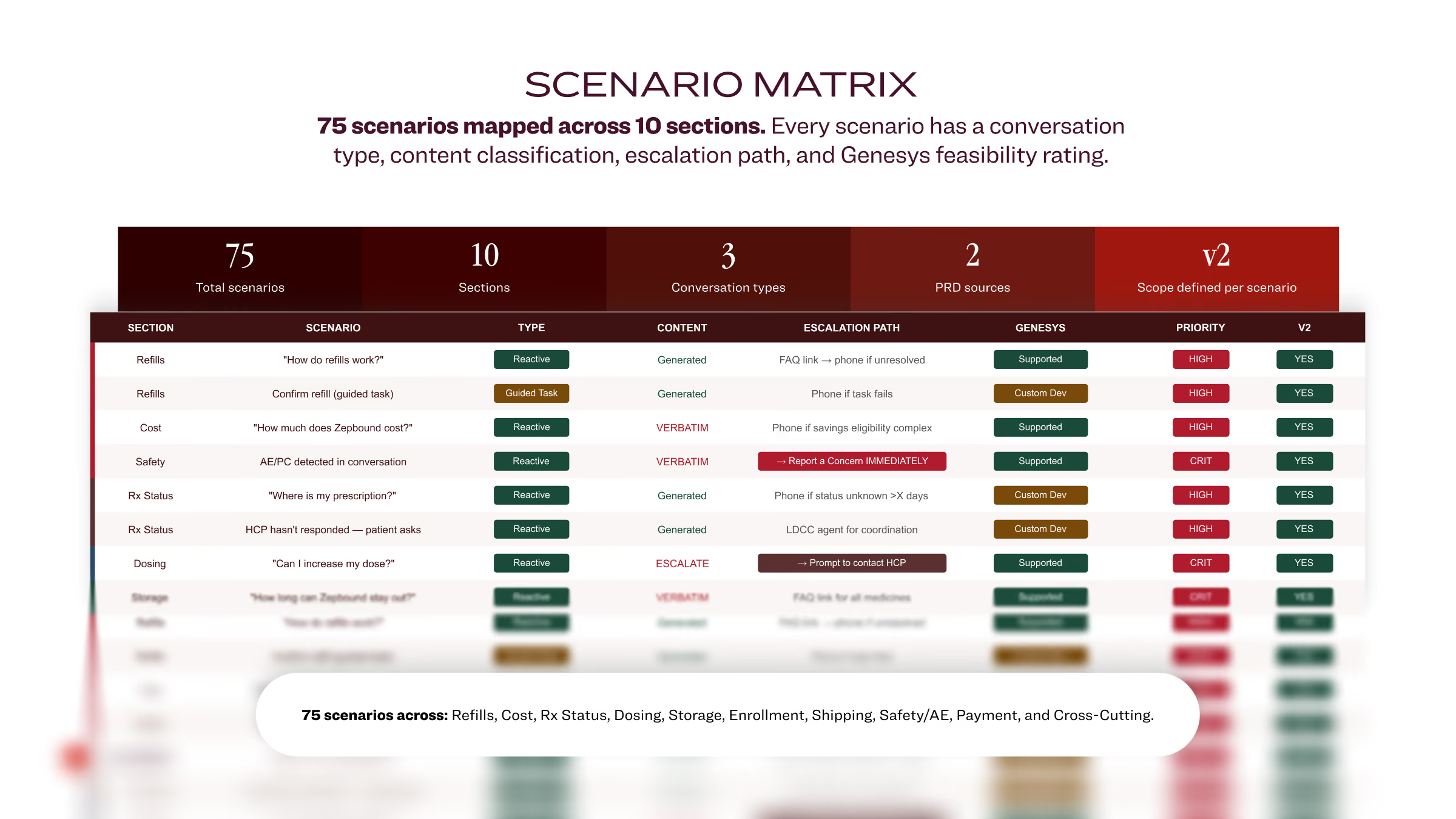
Scenario matrix chart showing 75 scenarios mapped across 10 sections with details on conversation type, content, escalation path, Genesys feasibility rating, priority, and V2 scope defined per scenario. Sections include Refills, Cost, Safety, Rx Status, Dosing, and more, with conversation types mainly reactive and one guided task. Content varies between generated and verbatim responses, and escalation paths include phone or prompt actions. Genesys feasibility shows supported, custom dev, or custom dev with prompt. Priority is high or critical, with all scenarios marked Yes for V2 inclusion.
Infographic titled 'HOW WE TRACK SUCCESS' by Lilly Direct showing four categories of chat performance signals: 01 Conversation signals with questions about chat escalation, response turns, repeat questions, and human agent transfer; 02 Behavior signals about consumer action completion, portal return, and message drop-off; 03 Volume signals on call center topic trending, FAQ article openings, and repeat contact rates; 04 Sentiment & satisfaction covering post-conversation ratings, transcript reviews for confusion, unresolved experience escalations, and consumer vs bot-initiated conversations. Notes about working with chat technical team and proactive bot discovery.
User experience design

One voice, wherever a patient is in the journey.

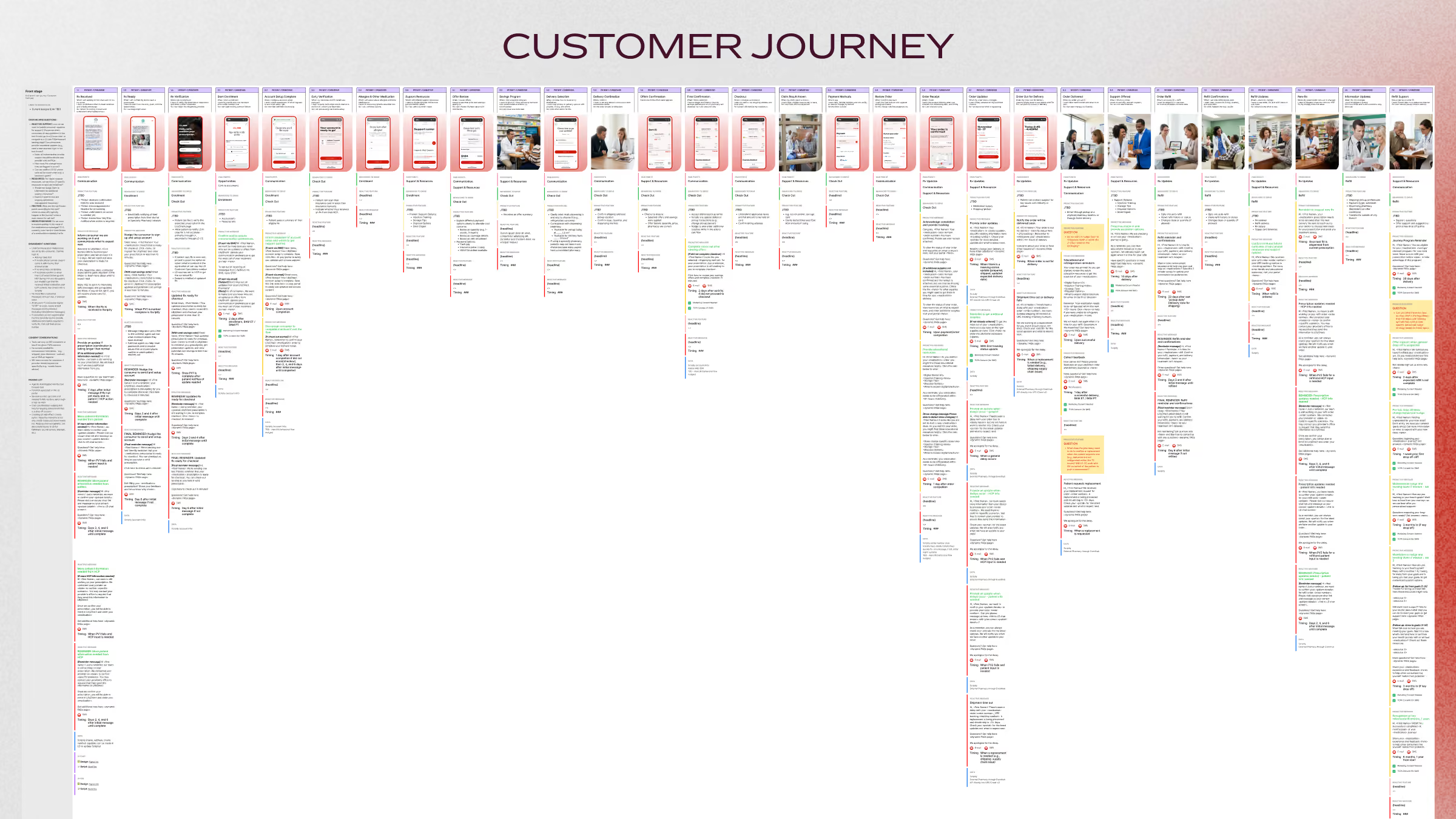
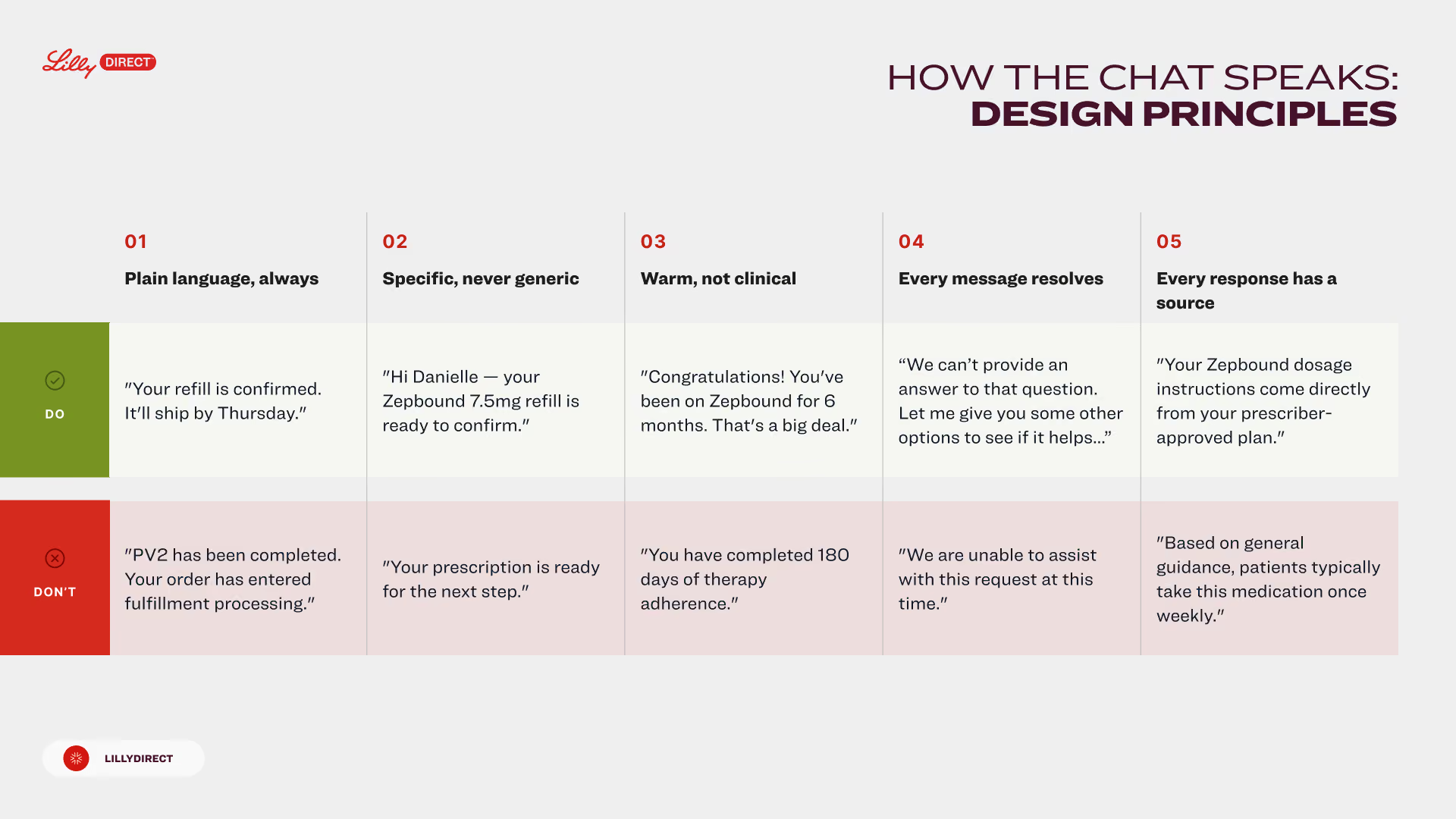
Patients come to chat anxious and in the middle of something. We gave the chat one plain, warm voice and mapped it to the patient journey, so the answer would fit the moment.

Table titled 'How the Chat Speaks: Design Principles' by Lilly Direct outlining five principles for messaging: 1) Plain language, always: Do example confirms refill shipping; Don't mentions order processing. 2) Specific, never generic: Do confirms medication readiness; Don't says prescription ready for next step. 3) Warm, not clinical: Do congratulates on six months therapy; Don't states days of adherence. 4) Every message resolves: Do offers alternative help options; Don't says unable to assist at this time. 5) Every response has a source: Do states instructions from prescriber-approved plan; Don't explains typical medication use based on guidance.
A detailed customer journey map with many vertical columns representing different stages and interactions, including text and icons, arranged horizontally under the title 'CUSTOMER JOURNEY.'
Chat design system

Every moment in a chat has a part.

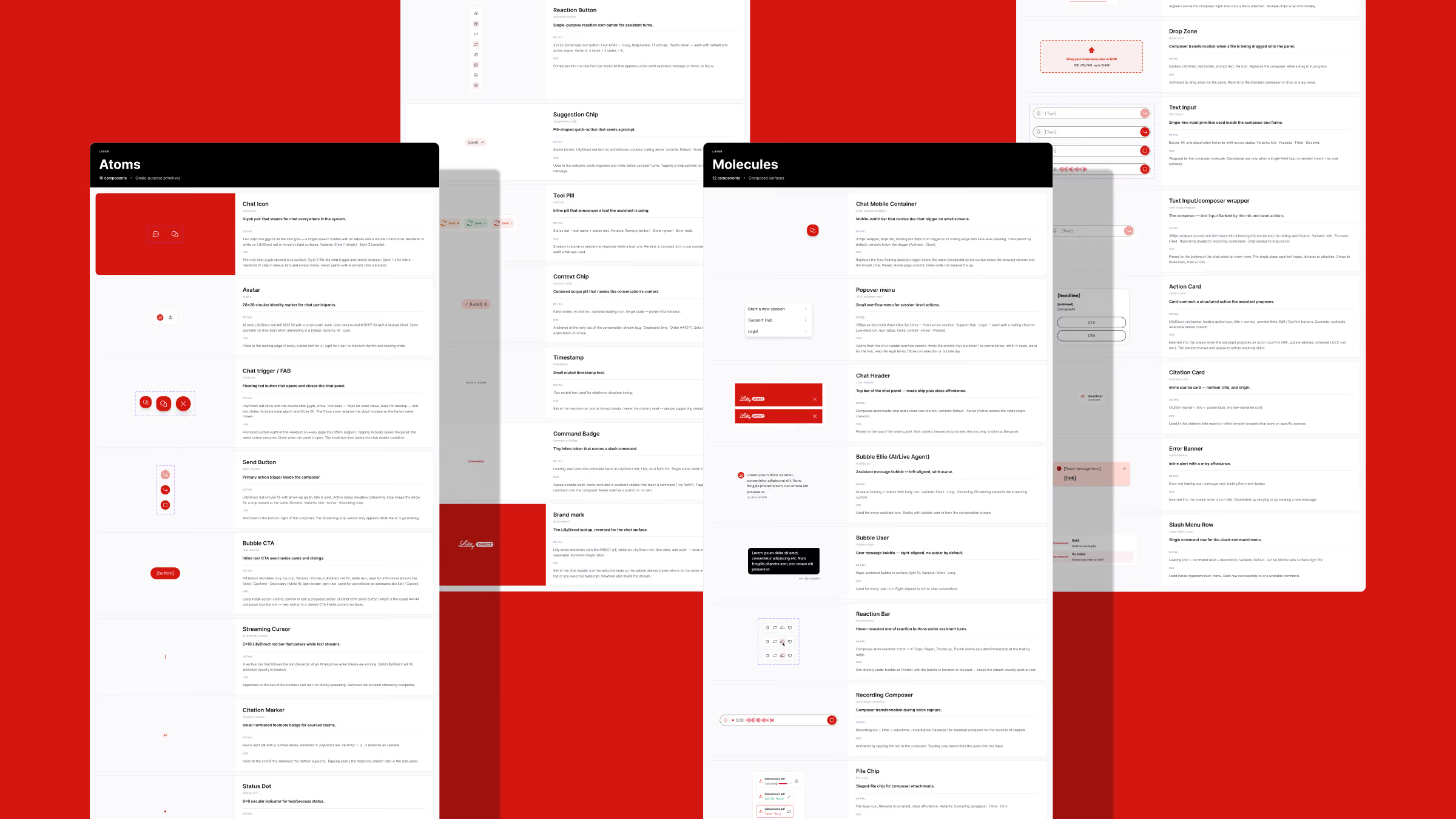
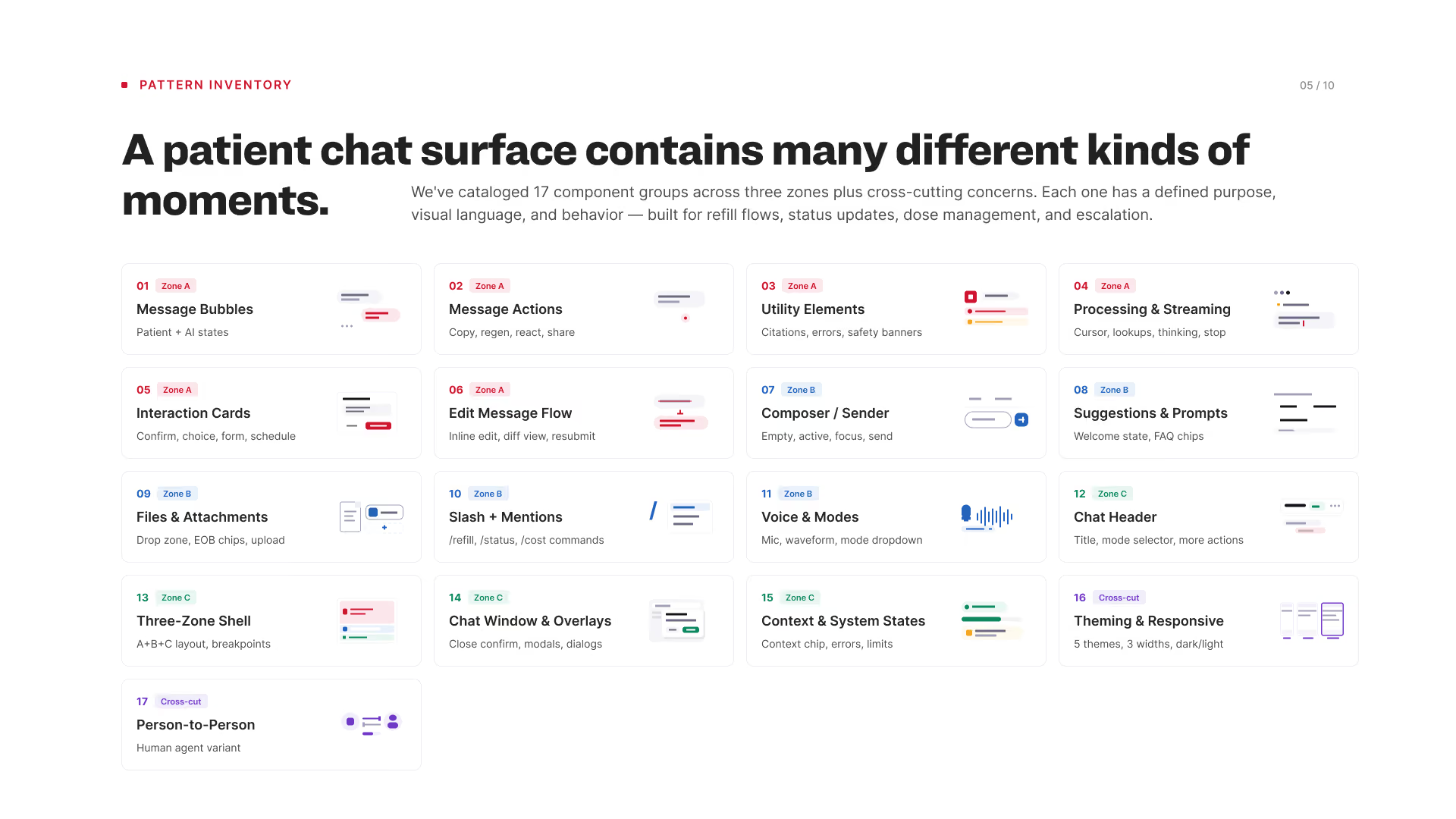
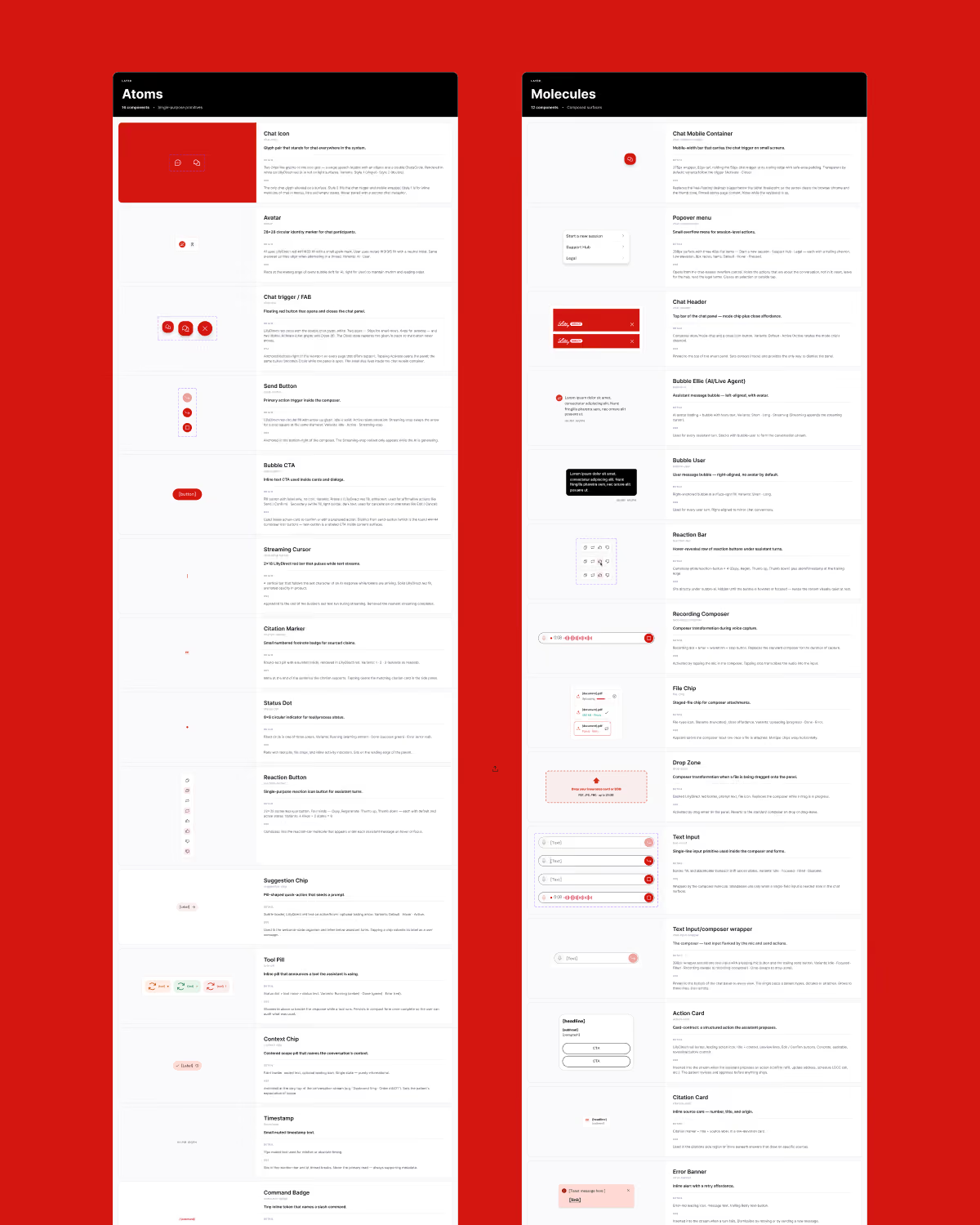
A chat that carries every medicine needs parts that behave the same way every time. We designed a chat design system, from the composer to the action card, so each message could show its work.

Chart titled 'A patient chat surface contains many different kinds of moments' listing 17 component groups categorized in three zones plus cross-cutting concerns, each with a brief description and example icons: Zone A includes Message Bubbles, Message Actions, Utility Elements, Processing & Streaming, Interaction Cards, and Edit Message Flow; Zone B includes Composer/Sender, Suggestions & Prompts, Files & Attachments, Slash + Mentions, and Voice & Modes; Zone C includes Chat Header, Three-Zone Shell, Chat Window & Overlays, and Context & System States; Cross-cut includes Theming & Responsive and Person-to-Person human agent variant.
A design system style guide displayed on a red background, divided into two sections labeled Atoms and Molecules. The Atoms section on the left shows various UI elements such as chat icons, avatars, chat triggers, send buttons, bubbles, cursors, badges, dots, buttons, chips, timestamps, and badges with descriptive text and examples. The Molecules section on the right details composite UI components like chat mobile container, popover menu, chat header, bubble titles, reaction bars, recording component, file chips, drop zones, text input fields, action cards, citation cards, and stripe banners, each with visual examples and explanatory text. The design uses a white background with red and black accents for UI elements and text. The layout is clean and structured for easy reference of UI components in a chat application design system.
The interfaces

The patient and the agent share one thread.

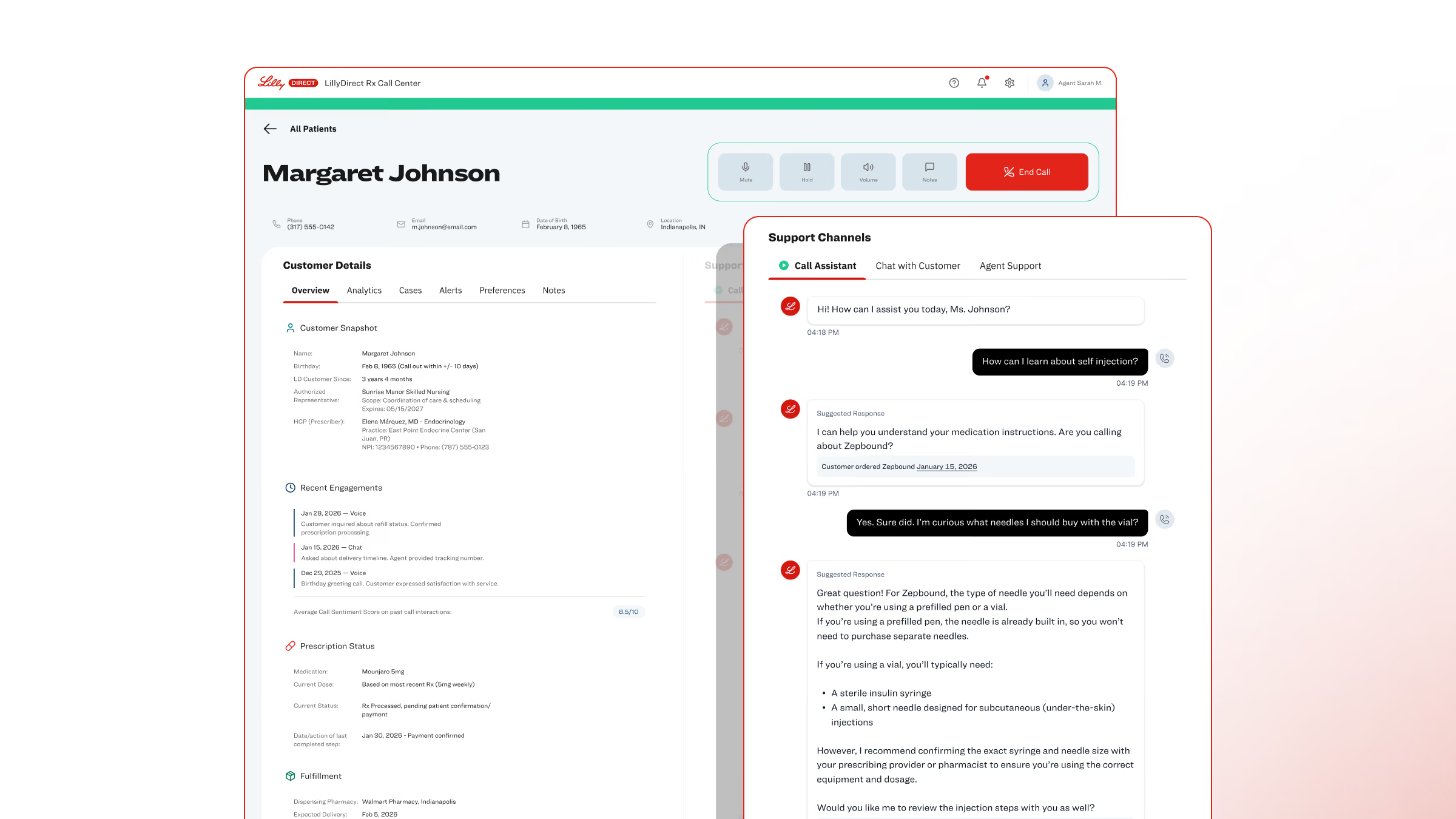
Nobody wants to explain a problem twice. We designed the patient’s chat and the agent’s console as one experience, so when a person steps in, the conversation would already be in front of them.

Screenshot of a customer service interface for Margaret Johnson showing customer details, recent engagements, prescription status, and a chat window with a call assistant discussing medication instructions and needles for self-injection.
Screenshot of a customer service interface showing details for Margaret Johnson including contact info, customer snapshot, recent engagements, and prescription status on the left; on the right, a chat support window with a conversation about self-injection needles and medication instructions.
Screenshot of a customer support interface showing patient details for Margaret Johnson including phone, email, and address. The right panel displays a chat conversation where an agent lists Margaret's medication history with dates and dosages, and offers to check adherence or refill gaps. A 'Call Patient' button is visible in the top right corner.
By the numbers

Interesting stats

We scoped the chat from demand data and designed it as one system, from the scenarios to the parts.

Scenarios mapped

75

LillyDirect patients’ requests for help map to known paths, across ten need areas.

Chat components

30

LillyDirect’s chat draws on this set, from the composer to the action card.

17 pattern groups in three zones.

Voice principles

5

LillyDirect’s writers and its model answer to the same do and don’t pairs.

Demand gap

5×

Refills, the topic with the most support demand at LillyDirect, came first in the chat’s design.

Refills against the next topic, from demand data read before design.

Touch target, in CSS pixels

44

The design brief sets this WCAG 2.1 AAA minimum for every control in the chat.

A spec in the design brief, which holds every element to WCAG 2.1 AA.

Next case

LillyDirect

How LillyDirect answers before anyone asks.

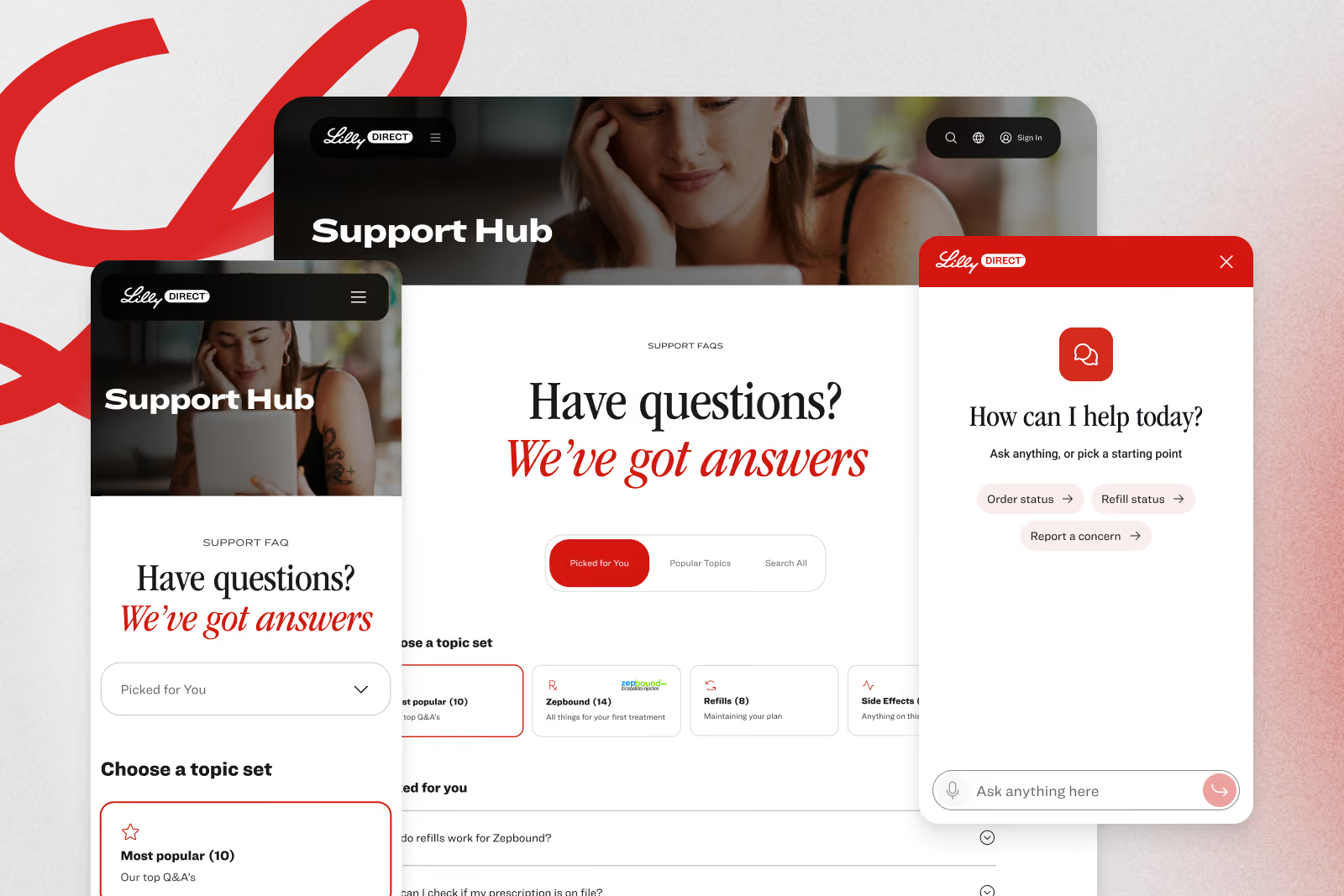
LillyDirect Support Hub on desktop and phone, with topic sets and the chat open beside it